 Voiced
Capture the thought. Keep your place.
Hold Right Command to dictate into the app you are already using. Add Shift to save a voice capture to your local shelf instead. Selected text and typed notes live there too.
One gesture decides where the words go.
Insert a transcript immediately or keep it in Inbox. Voiced confirms the result in the notch, then gets out of the way.
Release to place the transcript in the editor you were using.
Keep the capture for later without opening the shelf.
Capture selected text from the app already in front of you.
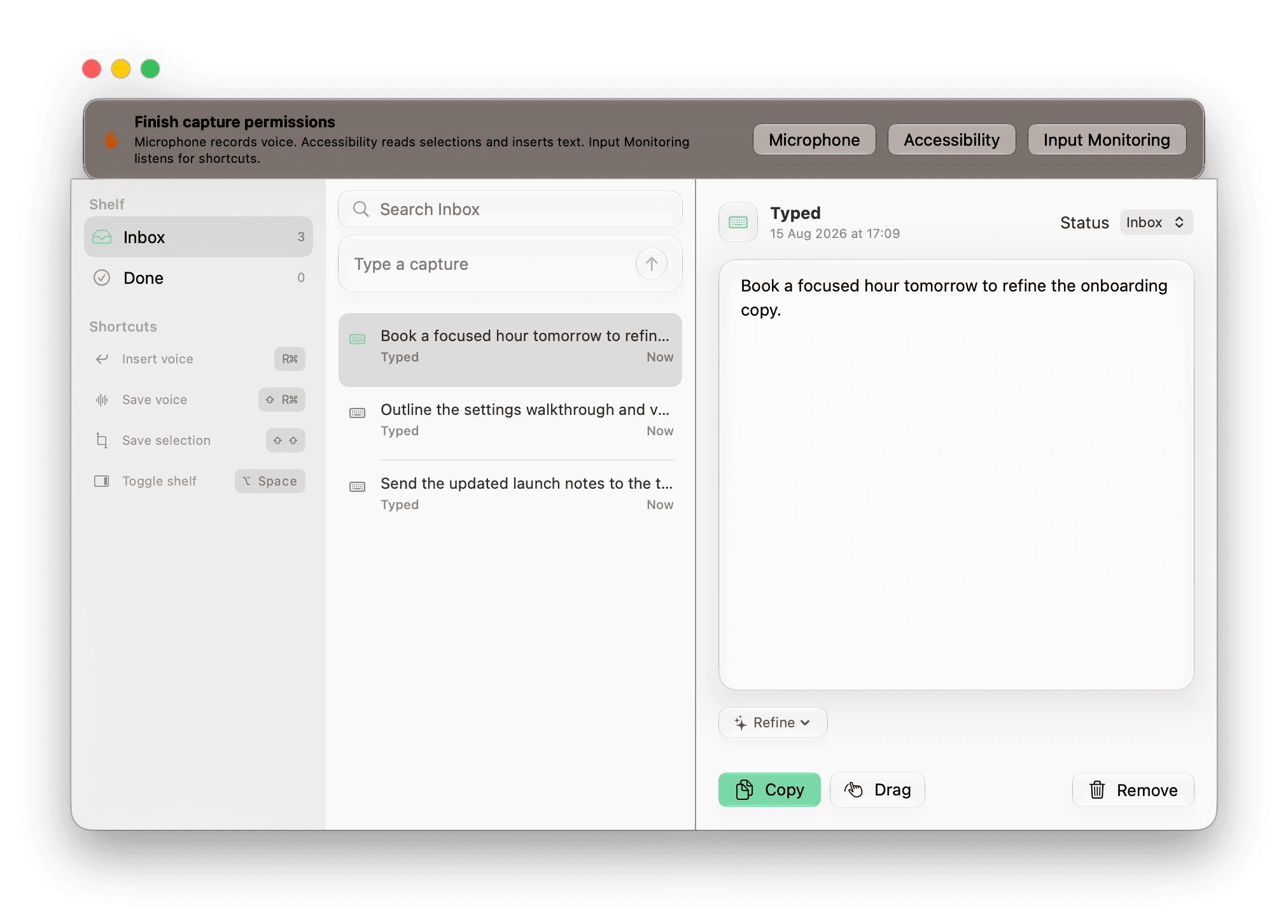
Search, type, edit, refine, copy, drag, finish, or remove.
A shelf for text that still needs somewhere to go.
Voice, selections, and typed notes become the same editable capture. Keep active work in Inbox, move finished items to Done, and pick up exactly where you left off after a relaunch.
- Search capture text or its source app
- Edit voice, selection, and typed captures
- Move items between Inbox and Done
- Copy or drag text back into your work
- Remove a capture with immediate Undo
One local capture library
Inbox stays focused. Done stays searchable.
Capture sources
Capture detail
InboxOutline the settings walkthrough and verify the permission recovery links.
Review clean transcript
Nothing changes until you apply it.
Refine only after you review the result.
On compatible Macs, Apple Intelligence can propose a cleaned transcript, executive summary, or to-do list. Compare the proposal with the original, then apply it or keep your words unchanged.
- Applied refinements can be undone.
- Checklist items can be sent to a chosen Reminders list.
- The raw capture remains ready when Apple Intelligence is unavailable.
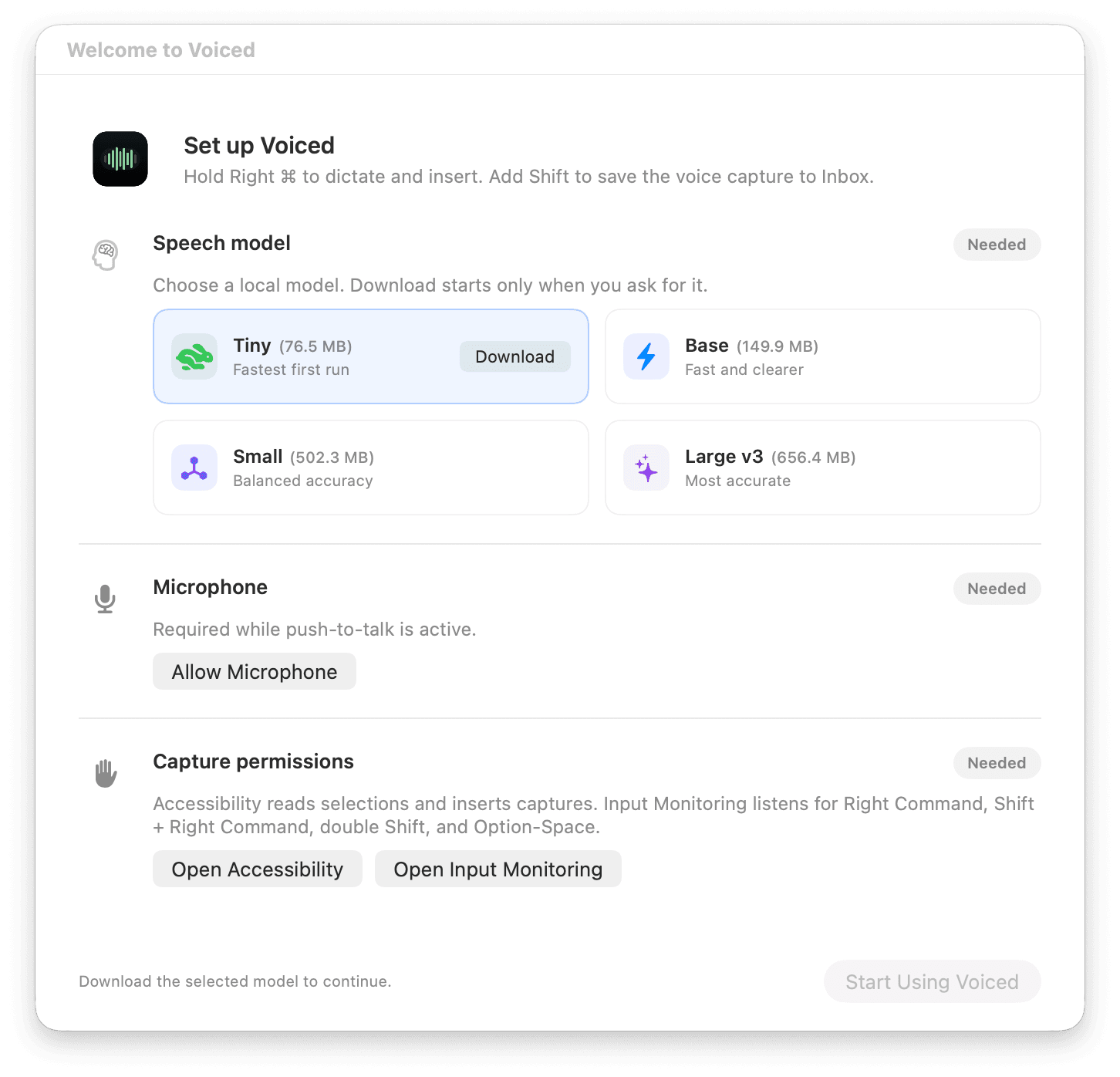
Setup is explicit because trust should be visible.
Voiced explains why each permission is needed, offers a recovery action wherever it matters, and waits for approval before downloading a speech model.
Local speech models
- Download starts only when you ask
- Pinned size and SHA-256 verification
- WhisperKit transcription on your Mac
- Reveal or remove downloaded models
Local by design
- No account, telemetry, or analytics
- No cloud transcription or capture upload
- Temporary audio deleted after use
- Captures stored as readable local JSON
Clear boundaries, all the way through.
Read the full privacy policyA Mac utility, not a web account
Voiced runs from the menu bar and stores its shelf in Application Support on this Mac.
Clipboard changes are handled carefully
Insertion restores the previous clipboard only when nothing else changed it during the operation.
Sensitive content stays out of logs
Audio, transcripts, selections, clipboard contents, file names, window titles, and destination apps are not logged.
macOS 14 or newer
Put your next thought where it belongs.
Download Voiced directly, choose a local speech model, and finish the guided permission setup on your Mac.